> For the complete documentation index, see [llms.txt](https://otrek2002s.gitbook.io/gui-admin-tools-premium/llms.txt). Markdown versions of documentation pages are available by appending `.md` to page URLs; this page is available as [Markdown](https://otrek2002s.gitbook.io/gui-admin-tools-premium/sections/server-manager.md).
# Server Manager
## Commands & Permissions:
`admintools.servermanager.all` - All features
### ⚙️ Main GUI ⚙️
#### Commands:
`/servermanager`
#### **Permissions:**
`admintools.servermanager.all` - All features
`admintools.servermanager.maingui` - Main permission
`admintools.servermanager.maingui.tool` - Use only from GUI
`admintools.servermanager.maingui.command` - Use only from commands
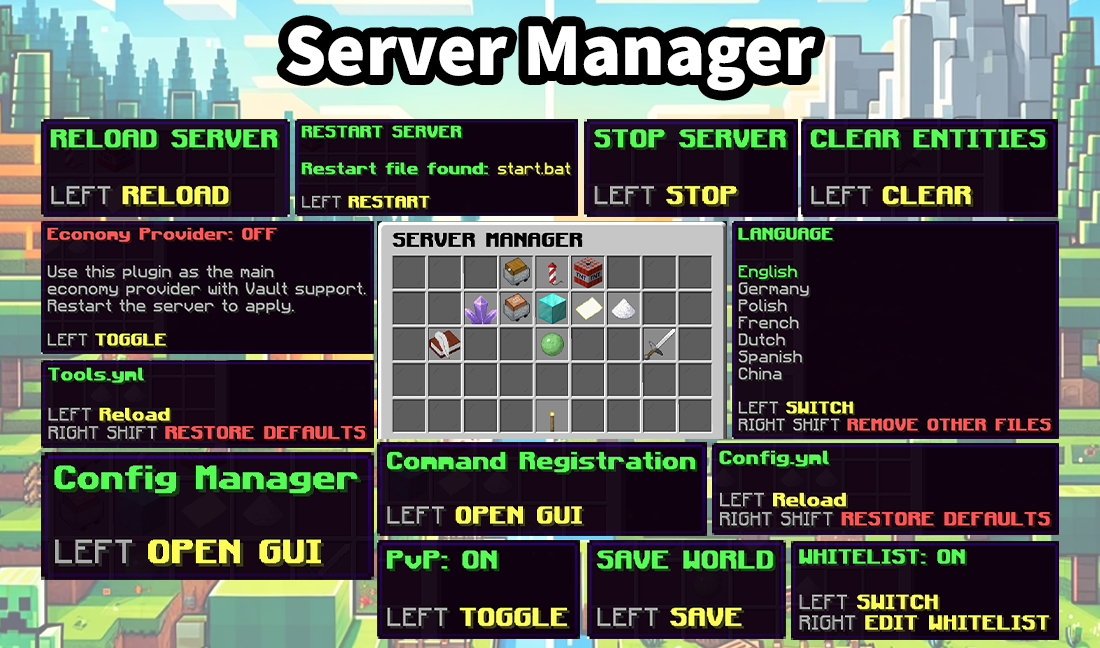
### ⚙️ Reload server ⚙️
#### Commands:
`/servermanager reload confirm`
#### **Permissions:**
`admintools.servermanager.reloadserver` - Main permission
`admintools.servermanager.reloadserver.tool` - Use only from GUI
`admintools.servermanager.reloadserver.command` - Use only from commands
### ⚙️ Stop server ⚙️
#### Commands:
`/servermanager stop confirm`
#### **Permissions:**
`admintools.servermanager.stopserver` - Main permission
`admintools.servermanager.stopserver.tool` - Use only from GUI
`admintools.servermanager.stopserver.command` - Use only from commands
### ⚙️ Restart server ⚙️
#### Commands:
`/servermanager restart confirm`
#### **Permissions:**
`admintools.servermanager.restartserver` - Main permission
`admintools.servermanager.restartserver.tool` - Use only from GUI
`admintools.servermanager.restartserver.command` - Use only from commands
### ⚙️ Change language ⚙️
#### Commands:
`/servermanager language `
#### **Permissions:**
`admintools.servermanager.language` - Main permission
`admintools.servermanager.language.tool` - Use only from GUI
`admintools.servermanager.language.command` - Use only from commands
### ⚙️ Whitelist ⚙️
#### Commands:
`/servermanager whitelist`
#### **Permissions:**
`admintools.servermanager.whitelist` - Main permission
`admintools.servermanager.whitelist.tool` - Use only from GUI
`admintools.servermanager.whitelist.command` - Use only from commands
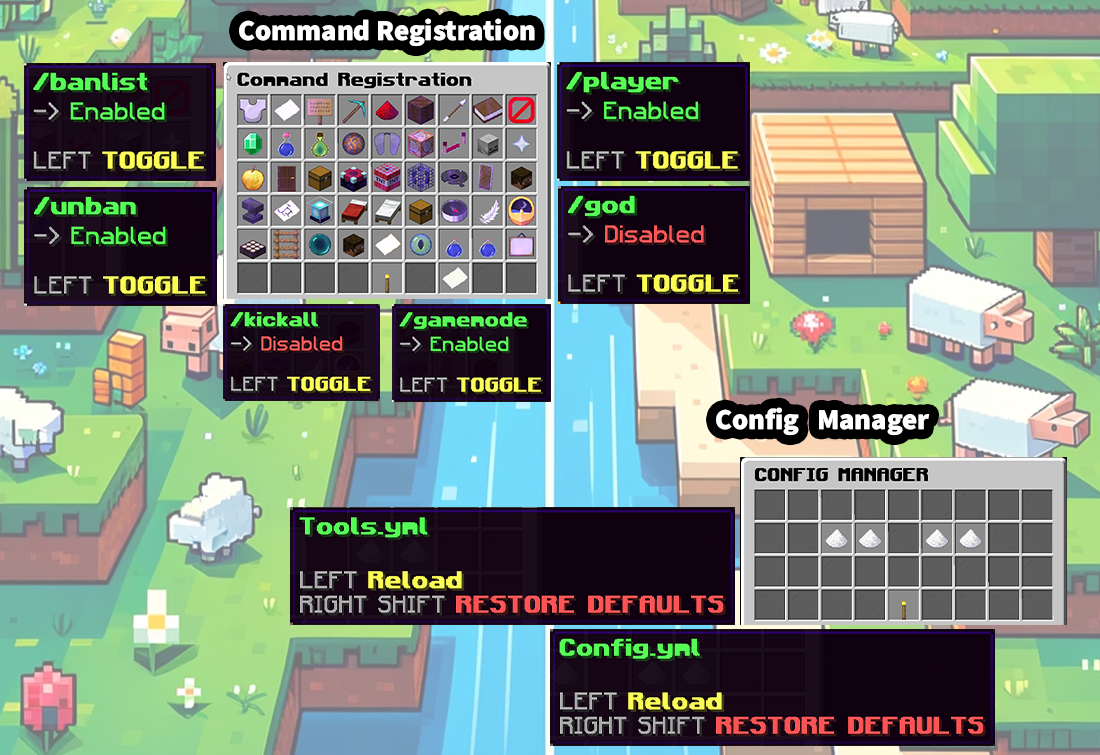
### ⚙️ Command Registration ⚙️
#### Commands:
`/servermanager commands`
#### **Permissions:**
`admintools.servermanager.commandregistration` - Main permission
`admintools.servermanager.commandregistration.tool` - Use only from GUI
`admintools.servermanager.commandregistration.command` - Use only from commands
### ⚙️ Toggle PvP ⚙️
#### Commands:
`/servermanager togglepvp`
#### **Permissions:**
`admintools.servermanager.togglepvp` - Main permission
`admintools.servermanager.togglepvp.tool` - Use only from GUI
`admintools.servermanager.togglepvp.command` - Use only from commands
### ⚙️ Save World ⚙️
#### Commands:
`/servermanager saveworld`
#### **Permissions:**
`admintools.servermanager.saveworld` - Main permission
`admintools.servermanager.saveworld.tool` - Use only from GUI
`admintools.servermanager.saveworld.command` - Use only from commands
### ⚙️ Clear Entities ⚙️
#### Commands:
`/servermanager clearentities`
#### **Permissions:**
`admintools.servermanager.clearentities` - Main permission
`admintools.servermanager.clearentities.tool` - Use only from GUI
`admintools.servermanager.clearentities.command` - Use only from commands
### ⚙️ Economy Provider ⚙️
#### **Permissions:**
`admintools.servermanager.ecoprovider` - Main permission
`admintools.servermanager.ecoprovider.tool` - Use only from GUI